Skip to content

Mobile apps

From phone to wrist. All the way to the TV.

We design and build apps for iPhone and Android, tablets, smartwatches and TV: to sell, to help your team work better or to offer your customers a service. When a well-built website is enough, we tell you straight.

The right choice first

Three ways to build an app.

Not every app has to go through a store. We choose the technology once we understand who will use it and what it has to do.

Installable web app

Opens in the browser and installs on the home screen

No store to go through: a link is all it takes. Suited to internal tools, entry gates, tills and services people use in passing.

  • Works offline too
  • One project for every device
  • Updates go live straight away

Cross-platform

One codebase for iPhone and Android

The choice for most apps headed for the stores: notifications, camera, payments and face or fingerprint login, with reasonable timescales and costs.

  • Published on the App Store and Google Play
  • A polished experience on both systems
  • Connected to your shop or management software

Native

Written for each system

For when performance, the latest system features, smartwatches, TV, widgets and deep integration with the device matter.

  • The most from every device
  • Smartwatches, TV and widgets
  • Bluetooth, NFC and sensors

What we build

An app for every real problem.

We start from what is done badly or by hand today: a customer who doesn't come back, a paper form, one phone call too many.

For online sellers

Your shop in your best customers' pockets: catalogue, basket and checkout connected to your Shopify or WooCommerce store, notifications when something new arrives or a size is back, and a loyalty scheme with points and rewards to check in the app.

For your team at work

Sales rep orders, stocktaking with the camera as a scanner, site visits with photos and signatures, clocking in and internal requests. It works where there's no signal too and syncs when you're back online.

For customer services

Bookings, tickets, membership cards, a private area with documents and payments: the relationship with your customers carries on after the first purchase, without going through the switchboard.

Connected to the physical world

QR codes and barcodes, NFC for cards and entry, Bluetooth for scales, printers and sensors, location for deliveries and field work.

With artificial intelligence

An assistant that answers from your own content, product and document recognition through the camera, voice dictation. Where the data is sensitive, processing can stay on the device or on your server.

Payments and subscriptions

Cards and digital wallets for selling physical products, in-app purchases and subscriptions for digital content and services, following each store's rules.

Beyond the phone

Every screen does its own job.

The watch is for a quick gesture, the TV for watching, the tablet for working at the counter. We design for each one instead of shrinking or stretching the same app.

Apple Watch and Wear OS

Smartwatch

  • Notifications you handle from your wrist: an order to confirm, a shift that changes, a ticket to show.
  • Watch-face complications with the figure that matters: next appointment, delivery status, points earned.
  • Check-ins, timers and quick confirmations without taking out your phone.
  • Activity and health data only with the explicit consent of the person wearing it.

Apple TV, Android TV and Google TV

TV

  • Video apps with a catalogue, search and a members' area for training content, events or courses.
  • Displays and information screens for shops, museums and waiting rooms, updated remotely.
  • Event and conference programmes to follow on the big screen.
  • Your phone becomes the remote: search and choose in your hand, then watch on the TV.

iPad and Android tablets

Tablet

  • Tills and counter sales, for events and box offices too.
  • Self-service kiosks for orders, registrations and surveys.
  • Interactive catalogues for sales reps and trade fairs, available offline too.
  • Layouts designed for the tablet's larger screen.

Apple Wallet, Google Wallet, widgets

Wallet and widgets

  • Tickets, loyalty cards and coupons in the phone's wallet, updated in real time.
  • Home-screen widgets with the information worth keeping an eye on.
  • Live updates for orders, deliveries and waiting times.
  • Mini apps that open from a QR code or an NFC tag, with nothing to install.

In every app

The details that get it used.

An app that is installed and then forgotten is a cost. These are the features that give people a reason to open it again.

  1. 01 Useful notifications

    By user group and behaviour, scheduled and measured: a few relevant ones instead of many ignored ones.

  2. 02 Face or fingerprint login

    In within a second, with no password to remember.

  3. 03 Offline

    The data it needs stays on the device, and actions go through as soon as the connection is back.

  4. 04 Links that open the app

    A link in an email or a QR code opens the app straight on the right screen.

  5. 05 Accessible

    Screen readers, larger text, contrast and the system's voice control respected, just as on the web.

  6. 06 Multilingual

    Text, currencies and dates for every market, in the languages your audience needs.

  7. 07 Clear privacy

    Permissions requested only when needed, and usage analytics that don't track people beyond what's necessary.

Experience we already have

We're not starting from scratch.

Working offline, notifications, store builds and connections to online shops are problems we have already tackled in our own products and in those of our partner eShoopy.

Ours

BeezWoo Tickets

The QR scanner for the entrance installs like an app and works offline too, with an alert if the same ticket is scanned on two devices. The box-office till runs on a tablet.

With our partner eShoopy · coming soon

eShoopy Mobile

Apps for Shopify and WooCommerce shops in the brand's colours, push notifications for iPhone and Android, store builds prepared automatically and a console to manage it all.

With our partner eShoopy

CareBalance

An app for families caring for an elderly parent: expenses, rotas, medication and documents shared between siblings. On Google Play and the web.

How we work

From idea to app store.

Five steps, each with a result you can see and try. The next step is decided by looking at the one just finished.

  1. 01

    The right question

    We work out who will use the app, when and for what. If a well-built website is enough, we tell you before we start.

  2. 02

    A prototype you can touch

    Clickable screens to try on your phone before any code is written: changes are made while they still cost little.

  3. 03

    Development in stages

    A first version with the essential features, tested on real phones with installable test builds.

  4. 04

    Publishing

    We prepare listings, images and copy for the App Store and Google Play and see the app through store review.

  5. 05

    After launch

    Updates for new versions of iOS and Android, new features and privacy-friendly usage analytics.

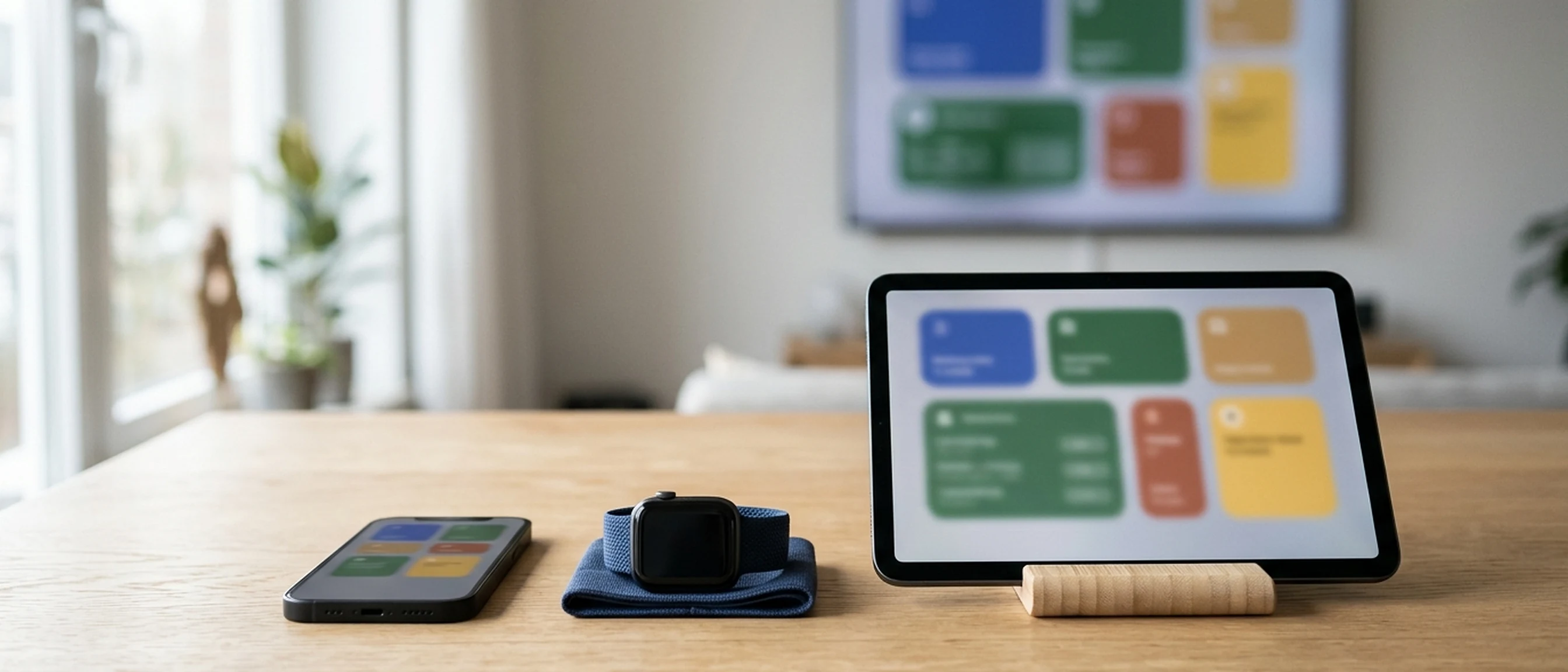
A smartphone, a smartwatch and a tablet on the same table, showing screens from the same app

Frequently asked questions

Before you ask.

Do I really need an app, or will a website do?

It depends on how often your customers or your team would use it. For an occasional purchase, a fast website is enough and makes more sense. An app is worth it when people need to come back often, receive notifications, work offline or use the camera, NFC and Bluetooth.

Is a native or a cross-platform app better?

Cross-platform uses a single codebase for iPhone and Android and suits most projects. Native is needed when performance, the latest system features, smartwatches or TV matter most. Often the right answer combines the two.

Who publishes the app on the stores?

We prepare everything needed and handle the App Store and Google Play review. We open the developer accounts with you and agree together how to manage them.

Does the app work without a connection?

It's designed to: the data it needs stays on the phone, and anything done offline goes through as soon as the connection is back.

Can you build for smartwatches and TV too?

Yes. We usually start with the phone and add the watch and TV where they bring something extra: a confirmation from the wrist, a catalogue on the big screen.

Will the app connect to my management software or my shop?

Yes, through the integrations the system provides. If there aren't any, we write them.

Have an app in mind?

Tell us who will use it and what it needs to solve. We'll tell you which route makes sense, even if the answer is a website.

Or email us at [email protected]

Beez Solutions Tools, not shop windows

On a computer?

Scan the code with your phone and message us on WhatsApp.